Adding Members And Guests
Club officers can add members and guests to the Club Roster by clicking on the Add Members and Invite Guests buttons you'll see on the Administration>Roster or Administration>Invites pages. They look like this:
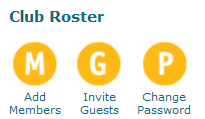
Clicking on them opens a form where a new person(s) can be added as either an online or an offline member.
Online Member
An online member is included in the club's roster and accounting records, can log into bivio to view the club's books and member information (other than the Social Security Numbers of other members), and will receive a copy of any email sent to the club's address.
To add a new online member simply enter the person's name and email address on the Adding Members and Guests form. You may also add a personal message that will be included in the email. When you click OK to accept the information, an email invitation will be sent to them containing the instructions they need to follow to join your club as an online member.
Additional information for a new online member, such as address, phone, and Social Security Number, may be added or edited by a club officer or the member themselves at any time by selecting their name on the Administration>Roster page.
Offline Member
An offline member is included in the club's roster and accounting records but cannot access club data or member information online, and cannot be listed as a club officer in bivio.
To add an offline member simply enter the new member's name on the Adding Members and Guests form and click OK. Additional information such as address, phone, and Social Security Number, may be added or edited by a club officer at any time by selecting the members name on the Administration>Roster page.
To bring an offline member online later, an officer just has to click on the Bring online link to the right of their name on the Club Roster.

Guests
If someone is interested in finding out more about joining your club, but is not ready to join yet, you can invite them to view your information as a guest. Guests have limited privileges. They can view the club's data and members' personal data (except social security numbers), but they cannot upload files. By default, they will be able to send and receive messages from your club email address but you can contact support to adjust this if you would prefer they not be able to. In either case, they will be able to read messages that are posted on your club message board. Guests cannot buy units in your club.
Inviting guests to your bivio club is as simple as going to Administration>Invites or to Administration>Roster and clicking on the Invite Guests button. This opens a form you can fill in to send an email invitation to your guest.
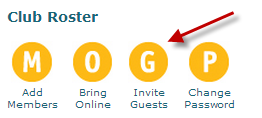
When your guest follows the information in the email, he or she will be added to the Club Roster as a guest.
To convert a guest into a member of your club, click on the Make Member link to the right of the guest's name on the Club Roster. You will be asked to confirm that the club does indeed wish to give member privileges to the guest. Fill in the form to send a second email invitation to your guest.
This officially invites them to become a full member of your club. Your guest will need to follow the instructions in the email to confirm that he wants to be added as a regular member.
If the guest clicks on the link in the email, he agrees to become a member and receives full member privileges in the club. He also gives the club officers the right to view and modify his Tax ID, Name, Address, and Phone number, if required, in the Club Roster.
Related help topics:
More questions? More Help