Changing Privileges
If you are designated as a club officer in bivio, you can change the privileges of any other member on the Administration>Roster page.
Make sure you do not change your own privileges prior to assigning them to someone else.
It is fine to have more than one person with the same privileges.
Click on the name of the online member you would like to change,
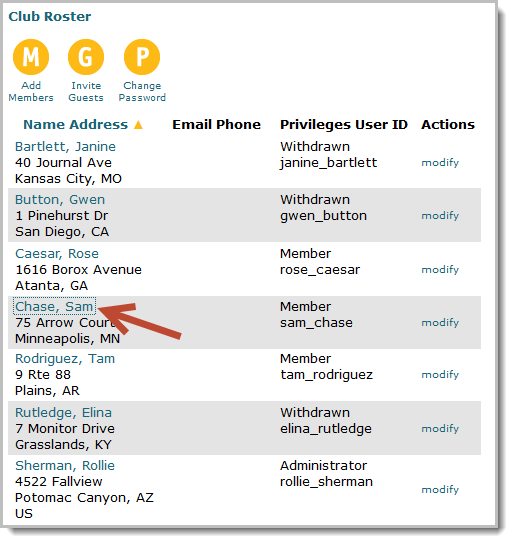
then click on the word Privileges.
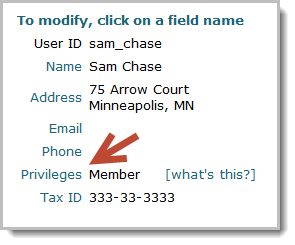
Your club needs to have at least one Administrator, but you may give as many people as you'd like each type of privilege. For example, you can have two people with Treasurer privileges if you'd like to have a regular and assistant Treasurer.
It is highly highly recommended that you have at least two people in your club with administrative or officer privileges. That way if something happens to one of them, someone will still be able to access your club and do any accounting or tax preparation you need.
Related help topics:
More questions? More Help